

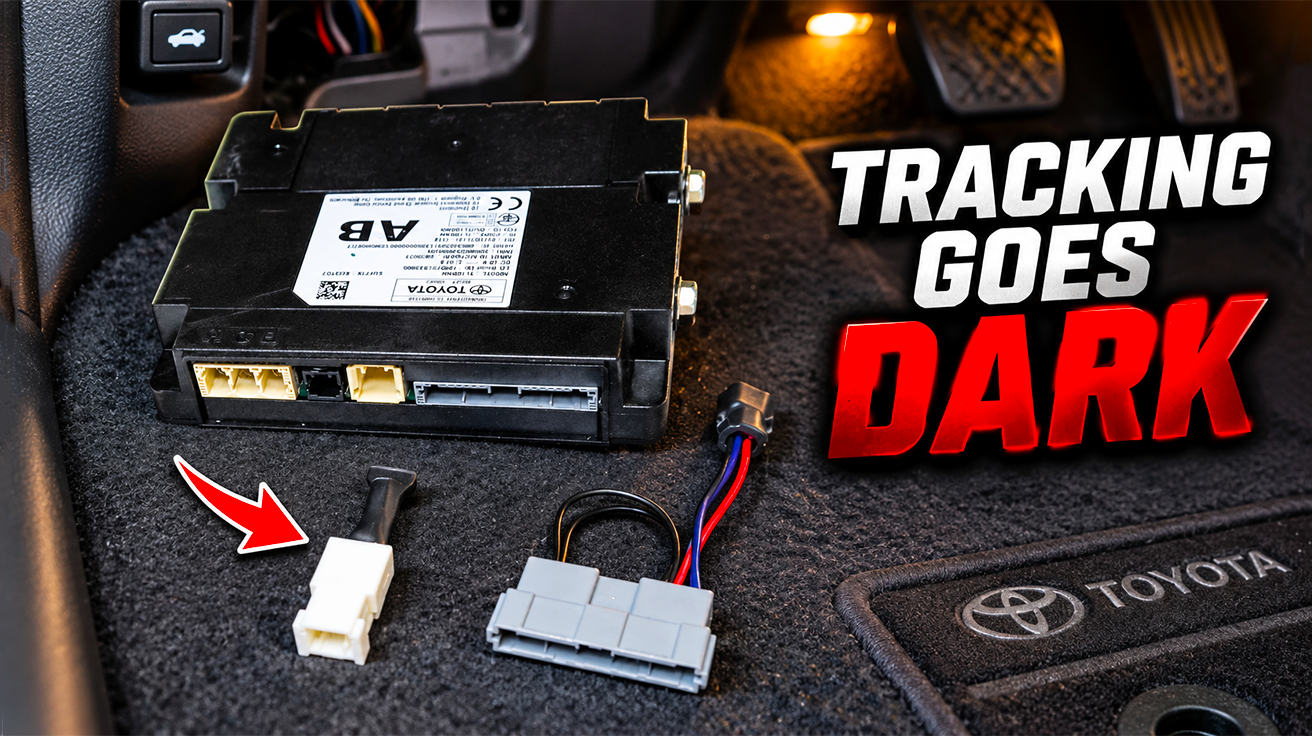
Modern vehicles log acceleration patterns, favorite destinations, and speed habits—then transmit this information to manufacturers and third parties. This constant digital breadcrumb trail turns personal driving into someone else’s analytics. Reclaiming that privacy is achievable. This guide details practical methods to sever invisible connections across major brands, putting control back in your hands.
Many vehicles transmit driving data continuously, creating persistent digital footprints beyond basic diagnostics. This collection puts a digital leash on movements, habits, and speeds. The good news: severing those connections is straightforward once you understand the hardware. What follows are real-world removal methods for Toyota, Mazda, and Jeep vehicles—no guesswork, no corporate spin.
1. Toyota Data Communication Module (DCM)
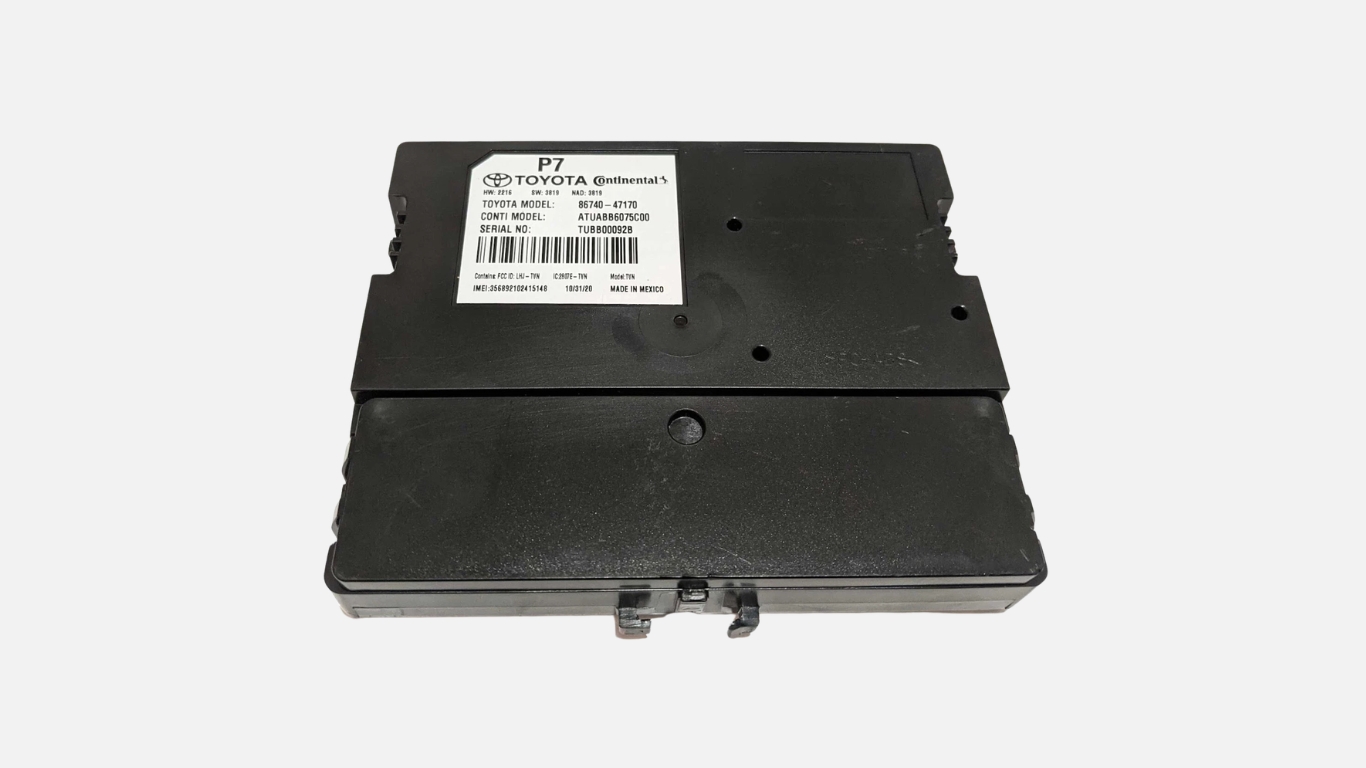
A single fuse controls the telematics gateway in most late-model Toyotas.
One fuse—typically rated around 5–7.5 amps depending on model—controls primary power to Toyota’s Data Communication Module (DCM). Located in the driver-side footwell fuse box on models like the RAV4 and 4Runner, this component is small enough to remove with a fuse puller. Pull it, and a phone icon with a slash appears on the dash, signaling that connected services have gone dark.
The physical DCM module itself—roughly the size of a paperback—sits low near the driver footwell in many RAV4 models, or behind the passenger dash on Highlander and Tacoma. Full silence requires disconnecting either the antenna leads (power stays, RF stops) or the main harness. Fair warning: unplugging the main harness disables the front-right speaker and hands-free microphone until those circuits are bypassed.
2. Toyota/Lexus DCM Backup Battery

Toyota’s “mayday battery” keeps the telematics unit powered even after fuse removal.
Pulling the DCM fuse doesn’t guarantee silence. Toyota and Lexus integrate a backup battery into many telematics units, designed to place automatic collision notification calls even when main vehicle power is lost. Service documentation calls this the “mayday battery,” and it maintains DCM function after the fuse is pulled.
After an automatic collision notification event, technicians perform an “ACN CALL END” procedure and replace this backup battery. For anyone seeking complete disconnection, physically removing the antenna leads or main harness is the only reliable path. Fuse removal alone leaves the unit capable of transmission via its internal power cell.
3. Toyota DCM Bypass Harness
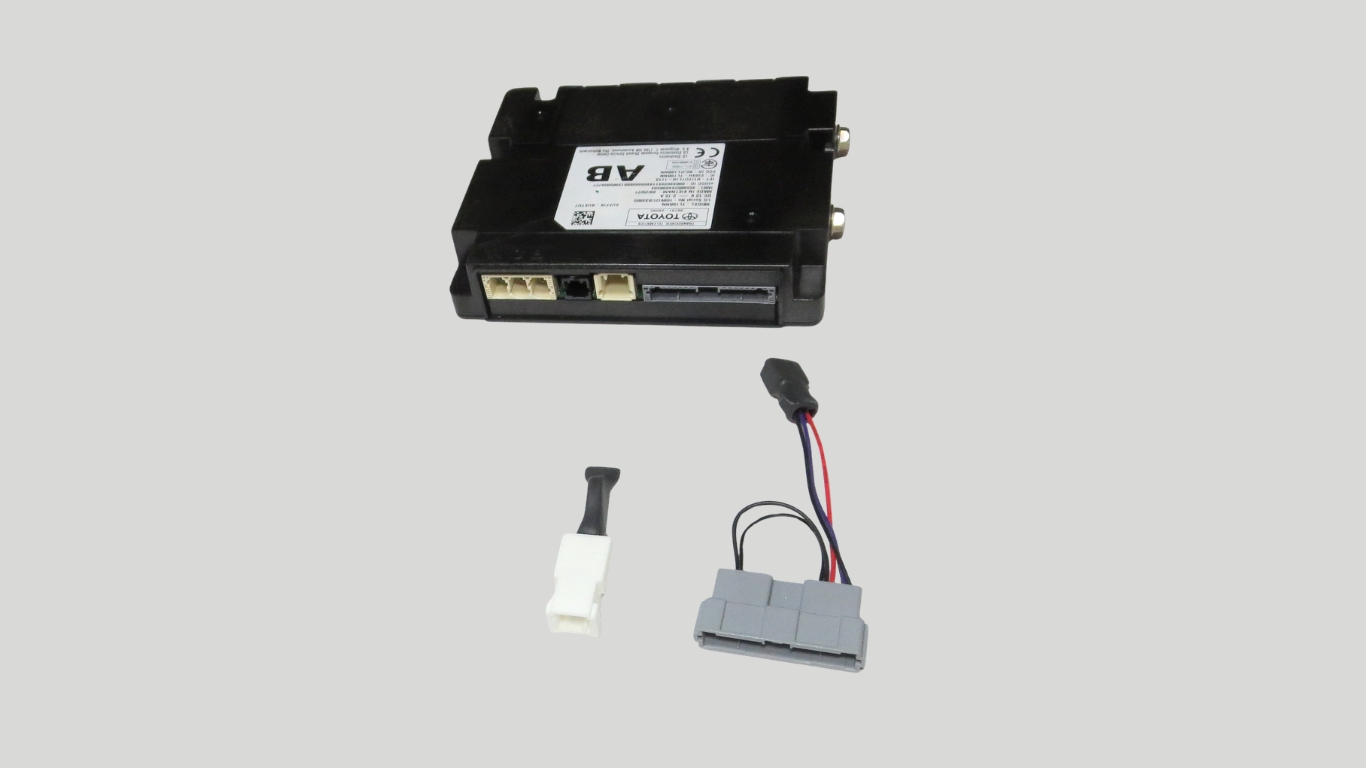
Aftermarket kits restore audio and microphone functions after DCM removal.
Disabling the DCM in many Toyota models kills the front-right speaker and hands-free microphone—these circuits route through the telematics module. Aftermarket bypass kits, often in the $20–$40 range, solve this problem by plugging into factory connectors and rerouting audio and microphone wiring.
Installation requires accessing the DCM location (documented by model and year), unbolting the bracket, unplugging the module, and installing the bypass harness. Bluetooth calling and audio playback continue normally with telematics disabled. No wire splicing required.
4. Toyota SOS / Safety Connect Buttons
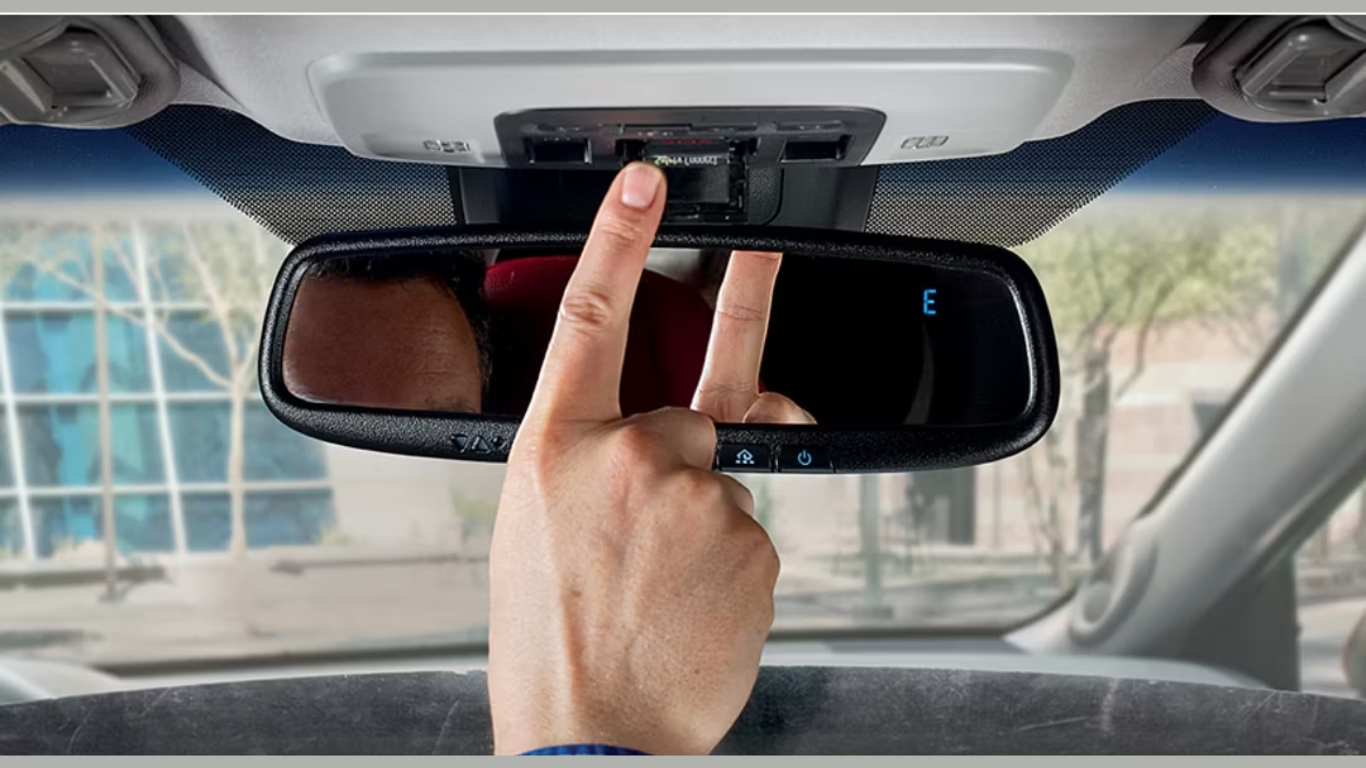
The overhead SOS button indicates DCM presence.
Toyota vehicles equipped with telematics include an SOS or “Call Toyota” button in the overhead console near the rearview mirror. This button initiates a Safety Connect call through the DCM’s cellular connection. Its presence confirms the vehicle has an active telematics modem.
No overhead button typically means no DCM installed—nothing to remove. This visual check provides immediate clarity when evaluating a vehicle for telematics hardware.
5. Mazda Telematics Control Unit (TCU)
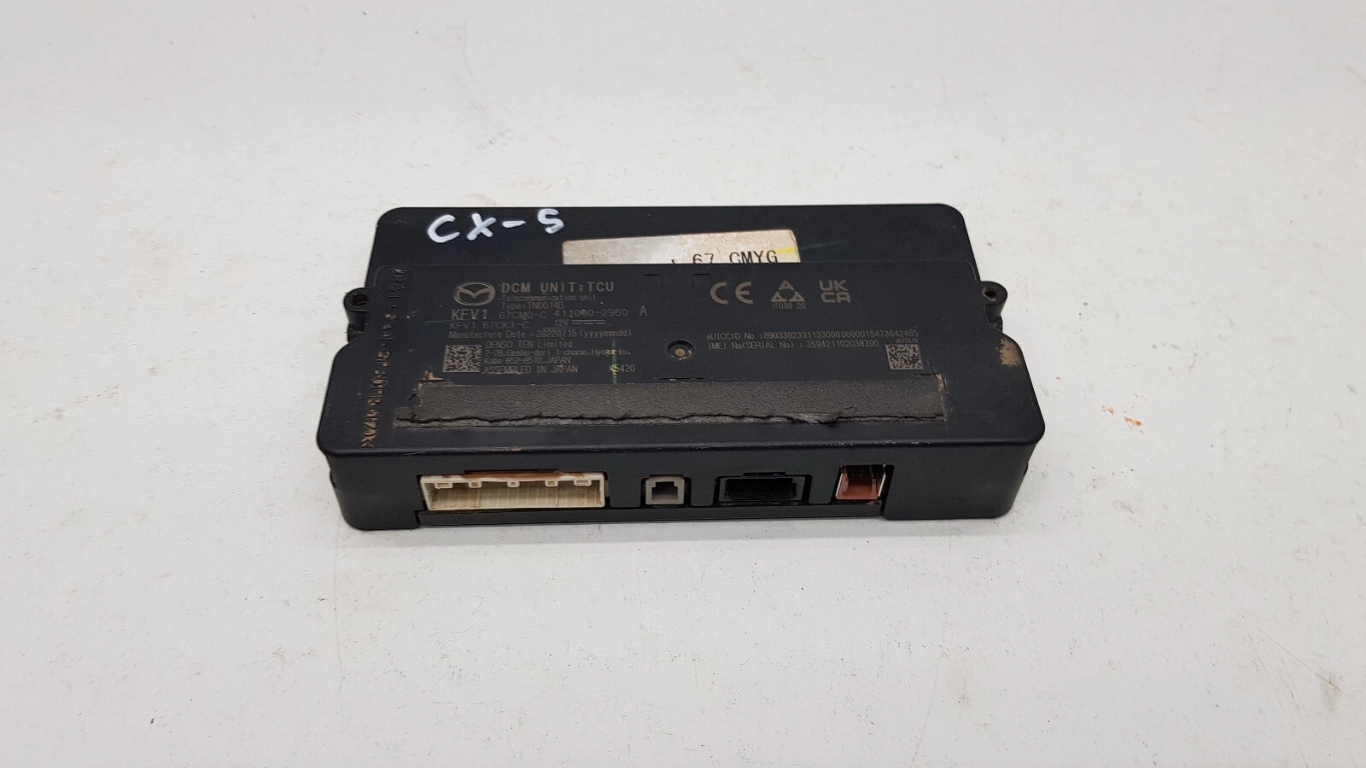
Mazda’s TCU is VIN-locked and requires official deactivation or physical removal.
Mazda’s Telematics Control Unit refuses easy silence through its VIN-locked activation. Once paired to a vehicle, the TCU cannot be swapped to another without disabling connected services on both. Service bulletins explicitly warn technicians against swapping TCUs among vehicles.
Complete deactivation requires contacting Mazda’s Customer Experience Center at 1-800-222-5500 and providing the VIN for verification. Mazda then flags the VIN with internal program code CSP04, which appears in warranty and service inquiries, signaling connected data is unavailable. An X appears across the signal icon on the dash. This official opt-out creates a permanent digital flag on the vehicle’s record.
6. Mazda Customer Experience Center Deactivation

Official TCU deactivation through Mazda stops all default telemetry collection.
Mazda’s official policies specify that only the manufacturer can fully deactivate the TCU and disable collection of default telemetry data. Temporary disablement via the infotainment system is possible—navigate to Settings → System Settings → Connected Services and uncheck the option—but complete deactivation requires direct contact.
Call the Mazda Customer Experience Center at 1-800-222-5500 during business hours. Provide the VIN for verification. Mazda then adds the VIN to CSP04, flagging it in their systems so dealers see connected data is unavailable. This opt-out status prints in any warranty or service inquiry, establishing a clear boundary for the vehicle’s data collection.
7. Jeep/Stellantis Telematics Box Module (TBM)

Older Jeeps allow simple unplugging; newer models resist with diagnostic errors.
On older Wrangler and Cherokee generations, the Telematics Box Module sits behind the dash near the radio. Unplugging the main harness disables GPS reporting, kills the mobile app’s vehicle location function, and silences the automatic SOS system. The vehicle remains fully drivable.
Newer Jeeps—2024 and 2025 models—integrate the telematics hardware more tightly. The network detects module removal and generates diagnostic errors across the dash. Later-model platforms require recoding via AlphaOBD to suppress fault codes after physical TBM removal, turning a five-minute job into a multi-step procedure.
8. Jeep/Stellantis Security Gateway Module (SGW) & Bypass

A hardware bypass restores full OBD-II access on 2018+ Stellantis vehicles.
Starting with model year 2018, many Stellantis products—Jeep Wrangler JL, various Ram trucks, Fiat 500L—incorporated a Security Gateway Module between the OBD-II port and CAN bus. This module blocks third-party diagnostic tools from performing write operations, restricting owners and independent tools to read-only access.
Aftermarket SGW bypass harnesses plug into the gateway’s two connectors and reroute them directly to the OBD-II socket, opening full write access. Installation typically requires removing interior trim panels near the steering column to access the SGW. The bypass enables tools like AlphaOBD to perform deep system configurations and critical modifications otherwise locked behind the gateway.
9. AlphaOBD Diagnostic Software

AlphaOBD recodes Stellantis modules after telematics hardware removal.
AlphaOBD is aftermarket diagnostic software designed for Stellantis/FCA vehicles—Jeep, Ram, Dodge, Fiat, Alfa Romeo. Running on Windows or Android via OBD-II, it supports configuration changes to body control modules, radio, telematics, and other ECUs. Model years 2018 and later require a hardware SGW bypass for full write access; no software-only unlock exists.
After physically unplugging the TBM, AlphaOBD recodes the body control and radio modules, telling the vehicle that the telematics box, GPS, and cellular radio are absent. This suppresses persistent fault codes that otherwise light up the dash. The software completes the removal process, ensuring systems run smoothly without nagging errors.
10. RF (Radio Frequency) Meter
An inexpensive RF meter verifies whether telematics units are transmitting.
Dashboard indicators show what manufacturers program them to display, not necessarily actual transmission status. A radio frequency meter—handheld instruments covering common cellular and communication bands—detects nearby RF emissions with visual or audible indication. Inexpensive models in the $30–$40 range provide direct measurement of physical RF output.
Place the meter close to the dash or telematics module location after pulling fuses or unplugging hardware. If the meter detects signals, the unit is still transmitting despite what the dashboard shows. This tool provides undeniable confirmation of signal silence, cutting through any ambiguity left by on-screen status icons or app connectivity indicators.